If you are looking for detailed property information in Butler County, Ohio, the Butler County Auditor’s Property Search portal is the primary official resource. Whether you are a real estate investor, a homebuyer, or a curious resident, this guide explains how to use advanced search features to access ownership data, tax history, and property valuations.
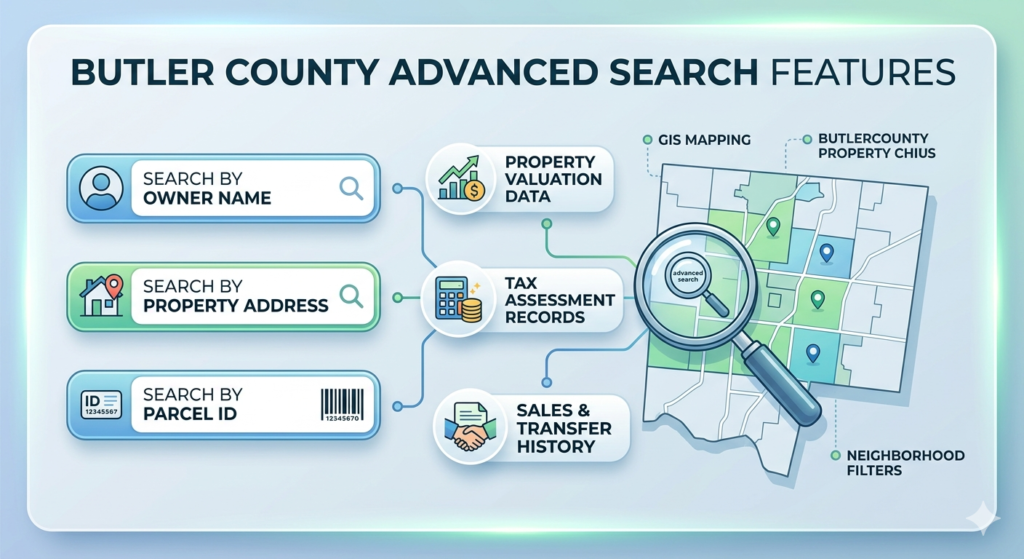
Key Methods for Butler County Property Search
The official Auditor’s website provides several ways to look up property records. Using the correct method ensures you get the most accurate and up-to-date information.
1. Search by Owner Name
This is the most common method if you know who owns the property.
- Pro Tip: Use only the “Last Name” to see a broader list of results, then select the correct individual from the list to avoid missing records due to spelling variations.
2. Search by Property Address
Entering a physical address is the fastest way to find specific site details.
- Best Practice: Avoid using abbreviations or street types (like “St,” “Rd,” or “Ave”). Simply enter the house number and the street name for the best search compatibility.
3. Search by Parcel ID
Every property has a unique Parcel Identification Number. This is the most accurate method because it links directly to one specific piece of land, eliminating any confusion between similar addresses or names.
4. Advanced Search Filters
For professionals needing specific datasets, the “Advanced Search” tool allows you to filter by:
- Sale Date & Price: Find properties sold within a specific timeframe or price range.
- Land Use: Filter by residential, commercial, industrial, or agricultural designations.
- Neighborhood Code: Narrow down your search to specific areas within Butler County.
Step-by-Step Guide to Accessing Records
- Visit the Official Portal: Navigate to the Butler County Auditor’s Property Search page.
- Select Your Search Criteria: Choose between “Simple Search” (Name/Address) or “Advanced Search.”
- Enter Information: Input your data into the required fields and click “Search.”
- Review the Summary Page: Once you select a property, you will see a summary including the Appraised Value, Assessed Value, and Year Built.
- Explore Detailed Tabs: Use the menu to view specific data such as:
- Transfers: See the deed history and previous sale prices.
- Taxes: View current tax bills, payment status, and special assessments.
- Land/Residential: Check lot size, square footage, and room counts.
Key Features of Butler County Records
- GIS Interactive Mapping: The Auditor’s office provides a Geographic Information System (GIS) map. This allows you to visually browse properties, check boundary lines, and see aerial views.
- Board of Revision (BOR): If you believe your property valuation is incorrect, the portal provides information on how to file a complaint to contest your value.
- CAUV Information: Farmers can find details on the Current Agricultural Use Value (CAUV) program, which provides tax relief for land dedicated to commercial agriculture.
Conclusion
Accessing public records in Butler County is a straightforward process thanks to the Auditor’s digital tools. By using the Advanced Search features, you can perform deep-dive research into market trends, ownership history, and tax obligations. Always ensure you are using the official .gov or .gov-linked portals to guarantee the data you are viewing is verified and current.
FAQs
Where is the Butler County Auditor’s office located?
The office is located at 130 High Street, Hamilton, OH 45011. You can contact them via phone at (513) 887-3154 for specific record inquiries.
Is there a fee to search for property records online?
No. Property records are public information in Ohio, and the Butler County Auditor provides this search tool as a free service to the public.
How often is the property data updated?
While the website is updated frequently, there is often a slight delay between a property transfer at the Recorder’s office and it appearing on the Auditor’s site. Usually, this takes a few business days.
Can I pay my property taxes through the Auditor’s search tool?
The Auditor’s site shows you how much you owe. However, actual tax payments are typically processed through the Butler County Treasurer’s office.